Git Repository Browse Page
Page Overview
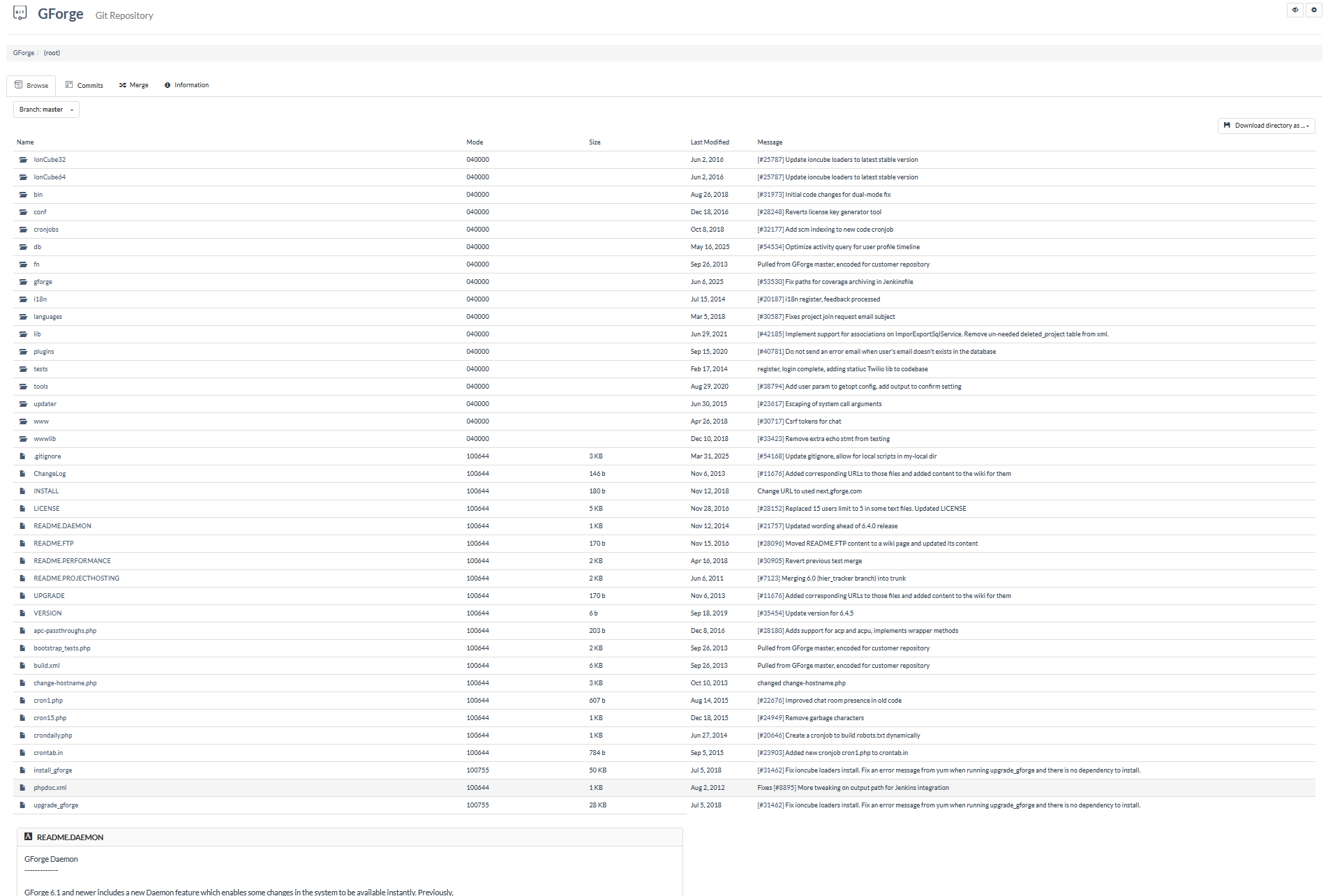
This is the Git Repository Browse page for a GForge project, specifically showing the file and directory structure of the repository's root directory. The page displays a comprehensive view of the project's source code organization, with folders and files arranged in a tabular format that provides essential information about each item. Users can navigate through the repository by clicking on folder names to explore subdirectories or file names to view individual file contents.
The page shows various types of content including source code directories (like gforge, www, lib), configuration files, documentation files, and utility scripts. Each entry displays metadata such as file permissions (mode), file size, last modification date, and the associated commit message that explains the most recent changes. This browsing interface allows developers and project stakeholders to understand the project structure, track recent changes, and access specific files without needing to clone the repository locally.
The interface includes functionality for downloading the entire directory as compressed archives and provides branch/tag selection capabilities. At the bottom of the file listing, there's a preview of a README file that provides information about the GForge Daemon feature, giving users immediate context about the project without requiring them to navigate to a separate file view.
UI Elements
Project Navigation Dropdown – Located in the top-left corner, this dropdown button displays the Git icon and project name, providing access to different project sections including Plan/Track tools, DevOps features, Knowledge resources, Trackers, and Admin functions.
Page Header – Shows "GForge Git Repository" with a monitor button and SCM Admin link on the right side for repository management functions.
Breadcrumb Navigation – Displays the current location within the project hierarchy, showing "GForge > (root)" to indicate the user is viewing the root directory of the repository.
Tab Navigation – Horizontal tabs below the header showing "Browse" (currently active), "Commits", "Merge", and "Information" options for different repository views.
Branch/Tag Selector – Dropdown button showing "Branch: master" that allows users to switch between different branches and tags in the repository.
Download Directory Button – Located in the top-right of the file listing, provides options to download the current directory as tar.gz or zip archives.
File/Directory Table – Main content area displaying a sortable table with columns for Name, Mode, Size, Last Modified, and Message, showing all files and directories in the current location.
Folder Icons – Folder entries are marked with open folder icons to distinguish them from files in the listing.
File Icons – Individual files display generic file icons to differentiate them from directories.
Commit Message Links – Clickable links in the Message column that reference specific tracker items, allowing users to view related issue details.
README Preview Panel – Located at the bottom of the page, displays the contents of the README.DAEMON file in a formatted panel with syntax highlighting.