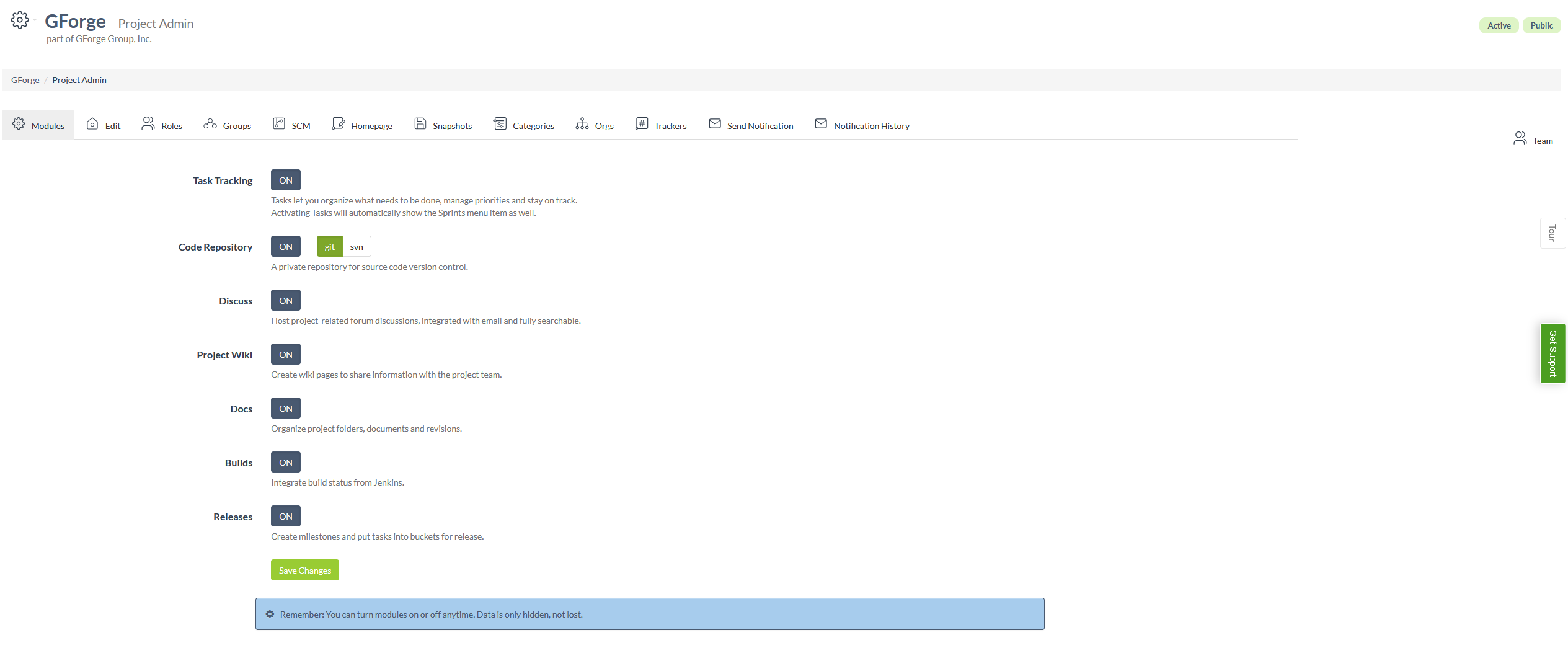
Project Admin: Modules Page
Page Overview
The Project Admin: Modules page is a configuration interface within GForge that allows project administrators to manage which features and tools are available for their project. This page provides a centralized location where admins can enable or disable various modules such as Task Tracking, Code Repository, Discussions, Wiki, Documents, Builds, and Releases. Each module represents a different aspect of project management functionality, and administrators can selectively activate only the features their project needs.
The page uses a simple toggle system where each module can be turned ON or OFF with the click of a button. When a module is enabled, it becomes accessible through the project's navigation menu and provides its associated functionality to project members. The interface includes helpful descriptions for each module, explaining what functionality it provides and how it benefits the project. For certain modules like Code Repository, additional sub-options are available (such as choosing between Git and SVN). The page emphasizes that data is preserved when modules are disabled – they are simply hidden rather than deleted, allowing administrators to safely experiment with different configurations without losing work.
UI Elements
Project Header: Located at the top of the page, displays the project name "GForge" with a settings icon dropdown menu for project navigation. Also shows project status badges ("Active" and "Public") and indicates this project is part of "GForge Group, Inc."
Breadcrumb Navigation: Positioned below the project header, shows the navigation path "GForge > Project Admin" to help users understand their current location.
Tab Navigation: A horizontal row of tabs below the breadcrumbs, including Modules, Edit, Roles, Groups, SCM, Homepage, Snapshots, Categories, Orgs, Trackers, Send Notification, and Notification History. The "Modules" tab is currently active.
Team Button: Located in the top-right corner of the tab area, provides quick access to team management functionality.
Task Tracking Module: First module option with an "ON" toggle button (currently active/green), includes description about organizing tasks and managing priorities.
Code Repository Module: Features both an "ON" toggle and sub-options for "git" (currently selected/blue) and "svn" (inactive/gray), with description about private source code version control.
Discuss Module: Toggle button showing "ON" status (active/green), with description about hosting project-related forum discussions.
Project Wiki Module: Toggle button in "ON" position (active/green), includes description about creating wiki pages for information sharing.
Docs Module: Toggle button set to "ON" (active/green), with description about organizing project folders and documents.
Builds Module: Toggle button showing "ON" status (active/green), includes description about integrating Jenkins build status.
Releases Module: Toggle button in "ON" position (active/green), with description about creating milestones and organizing tasks for release.
Save Changes Button: Green primary button located below all module options, allows users to apply their configuration changes.
Information Alert: Blue informational box at the bottom of the page, contains a gear icon and reminder text that modules can be toggled anytime and data is preserved when disabled.